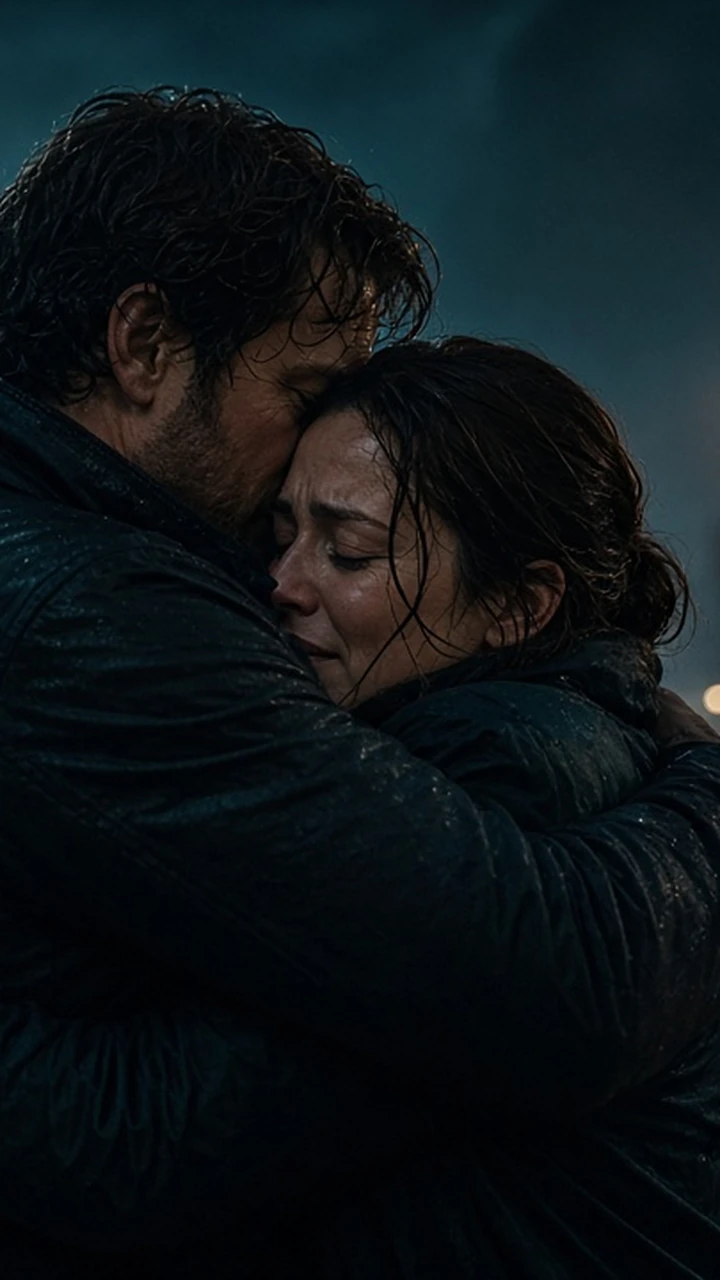
Zombie love story Wan
To make a zombie love story with Wan, compose matching cold and warm couple stills, animate recognition, refusal, embrace, and memory as separate silent first-frame shots, then trim them into a four-beat edit.
Choose a Wan route before planning movement
Wan is Alibaba’s visual generation model family. The consumer product is wan.video; Alibaba Cloud Model Studio is the official API source used here. The downloaded consumer page did not expose meaningful interface copy, so these API instructions do not promise matching consumer controls. There is no partnership with Wan or Alibaba.
First-frame image-to-video starts from input.img_url. Our main plan uses wan2.6-i2v-flash with duration 5, resolution 720P, and parameters.audio = false. That explicit audio setting makes this model silent even if audio_url is supplied. The first-frame wan2.2 and wan2.1 series are silent by default; do not carry the flash audio switch across every model.
First-and-last-frame generation is a different route: /services/aigc/image2video/video-synthesis. Its documented models are wan2.2-kf2v-flash and wan2.1-kf2v-plus, its duration is fixed at five seconds, and the service generates silent videos only. Supply first_frame_url and last_frame_url. Endpoints guide a transition; they do not guarantee a clean match cut.
The legacy reference-to-video API supports Wan2.6 only. For wan2.6-r2v-flash, use reference_urls and refer to character1 and character2 in the prompt; URL order defines those identifiers. Each reference should contain one character. Set parameters.audio = false for silent output on this flash model. References establish characters, not ordered storyboard endpoints.
Prepare the stills and protect the story
Use photos of adults who consented to this fictional transformation. Exclude celebrities and minors. Choose one deserted station, one scarf, and one screen direction. A stays left; B stays right. The cold world suggests a zombie through pallor and stillness, never wounds or gore. The gun never fires.
Build a recognition two-shot, a refusal still, a cold embrace, and a warm embrace. Match the last two at the shoulders, cheek angle, and hand position. Before animating, overlay those embrace stills in your editor. If the eyes jump, repair the still instead of asking motion to conceal the mismatch.
Our four-beat shot plan mapped to Wan modes
Twelve seconds is our editorial target, not a Wan preset. Four five-second takes leave room to choose stable motion and discard unstable edges.
| Beat and edit window | Recommended Wan job | Keep and reject |
|---|---|---|
| Recognition · 0–3 seconds | First-frame wan2.6-i2v-flash; duration 5; resolution 720P; audio false. Use the station two-shot. | Keep one small eye movement toward B. Reject a sudden lunge or an identity change. |
| Refusal · 3–5 seconds | Same first-frame settings, using a still with the prop already angled safely down. | Keep a relaxed hand and lowered prop. Reject firing, recoil, muzzle flash, or aggressive aiming. |
| Embrace · 5–9 seconds | Same first-frame settings from the composed cold hug. Optional separate wan2.6-r2v-flash character-reference take, duration 5, audio false. | Keep gentle settling at the shoulders. Reject merged fingers, swapped faces, or an extra arm. |
| Memory · 9–12 seconds | Same first-frame settings from the warm hug. Optional wan2.2-kf2v-flash first/last experiment: cold hug to warm hug, duration 5, resolution 720P; silent-only route. | Prefer a hard cut between matching poses. Reject a transition that melts faces or changes the station. |
Copyable motion prompts for each beat
These are our original instructions for the prepared first-frame stills. Paste one prompt per job. Keep the same wardrobe and screen direction throughout. Our maker has no prompt field.
Beat 1 — Recognition: Two consenting adult partners in a deserted station, A on the left and pale zombie B on the right. A slowly recognizes B and lifts their eyes. B stays calm. Fixed camera, restrained breathing, unchanged scarf and faces. No gore, no injury, no attack, no gunfire.
Beat 2 — Refusal: Same adult couple, same cold station. A chooses tenderness, relaxes their grip, and lowers the inert prop gun toward the floor away from both people. B waits without advancing. Small wrist movement, steady camera. The gun never fires; no muzzle flash, no recoil, no gore.
Beat 3 — Embrace: Same consenting adult couple already in a gentle embrace. A remains left, B right. Their shoulders settle and their heads lean slightly closer. Preserve cheek angle, scarf, and visible hands. Quiet relief, locked camera, no new limbs, no injury, no violence.
Beat 4 — Memory: Same adult couple in the matching embrace at the same station, now warm daylight and healthy skin. Hold the pose and screen positions. A small shared breath, almost still camera, unchanged hands and scarf. Tender remembered moment, no transformation effect, no gore.
For the optional reference take, replace names with the documented identifiers: character1 gently embraces character2 at the deserted station; character1 stays left, character2 stays right; shoulders settle, faces remain visible, no weapon, no gore. Supply separate single-character references in that order. Review the result rather than assuming reference input guarantees identity.
Timing, silence, and export
Generate separate takes, then mark the first stable face in each. Keep roughly three seconds of recognition, two of refusal, four of embrace, and three of warm memory. Cut refusal before the hand begins another action. Start the hug after both bodies have settled. Place the memory cut on the same shoulder line, with no dissolve until the hard cut works. These timings are our edit choices.
For first-frame Wan2.6 series only, shot_type multi takes effect when prompt_extend is true. We prefer separate shots here because the refusal needs its own review. This is not a claim that older first-frame models support multi-shot control. The API defaults prompt_extend to true; inspect any result for actions the rewrite may have introduced.
Begin with a first-frame image close to your target crop. The first-frame and first/last references warn that exact aspect ratios are not guaranteed because output dimensions use multiples of sixteen. Crop or letterbox after review. Model Studio jobs are asynchronous: create once and poll. Download approved video promptly; result URLs and task IDs are retained for twenty-four hours.
Review silently before adding any separately licensed music in your editor. The documented silent controls above belong to their specified routes and models. Family-level marketing about audio synchronisation or native 1080p is not a specification for every Wan job.
Wan DIY versus our maker
There is no partnership with Wan or Alibaba. Our maker is a separate preview flow.
| Decision | DIY Wan workflow | Our maker |
|---|---|---|
| Inputs | Compose stills and choose a documented API route yourself. | Two photos, one world, four locked beats, no prompt field. |
| Preview | Review your generated takes and assemble the edit. | Preview shows sample stills. |
| Checkout and production | Use your own Wan workflow; no prices or credit counts are quoted here. | Checkout is a demo and does not charge. Live paid generation is not connected for mass production. |
If Wan is the wrong fit
The Grok Imagine, Seedance, Vidu, PixVerse, Hailuo, Veo, Midjourney, Kling, Runway, Luma, Pika, and Sora guides map the same four beats. Compare the input you already have: a composed start frame, two transition endpoints, or separate character references. Change the route before rewriting the whole story. Compare Firefly in the guide below. Compare Higgsfield in the guide below. Compare Marey, LTX, Leonardo and Nova Reel in the guides below.
Checks before sharing
- Watch silently: recognition, refusal, embrace, and memory must read without narration.
- Reject gunfire, muzzle flash, recoil, gore, injury, and threatening movement. The gun never fires.
- Compare faces, left-right order, scarf, fingers, and shoulder alignment at every cut.
- Use consenting adults only; no celebrities or minors. Label the export as AI fiction.
- Save approved takes locally and watch the final export at normal speed.
- Zombie love story Marey
- Zombie love story Nova Reel
- Zombie love story Leonardo
- Zombie love story LTX
- Zombie love story Higgsfield
- Zombie love story Firefly
- Zombie love story Grok Imagine
- Zombie love story Midjourney
- Zombie love story Seedance
- Zombie love story HappyHorse
- Zombie love story Hunyuan
- Walk the maker
- Zombie love story prompt
- Edit with CapCut
- Zombie love story Kling
- Zombie love story Runway
- Zombie love story Luma
- Zombie love story Pika
- Zombie love story Sora
- Zombie love story Veo
- Zombie love story Hailuo
- Zombie love story PixVerse
- Zombie love story Vidu
Zombie love story Wan FAQ
How do I make a zombie love story with Wan?
Compose four matching stills, animate one emotional action per first-frame job, review the silent takes, and trim recognition, refusal, embrace, and warm memory into one edit.
Which Wan model makes the recommended silent shots?
Our main first-frame plan uses wan2.6-i2v-flash with parameters.audio = false. First-frame wan2.2 and wan2.1 models are silent by default. The first/last service is silent-only; wan2.6-r2v-flash requires audio false for a silent reference take.
Can I supply a first and last frame?
Yes, on the documented first/last route using wan2.2-kf2v-flash or wan2.1-kf2v-plus. Duration is fixed at five seconds. Treat the cold-to-warm bridge as an experiment and retain a separate warm shot for a clean edit.
Can references keep both partners recognizable?
The legacy Wan2.6 reference route accepts character references. Each file should contain one character, and reference_urls order maps to character1, character2, and so on. Review faces and hands; reference input is not a guarantee.
Does Wan need to generate exactly twelve seconds?
No. Twelve seconds is our final edit target. Our plan trims four five-second takes to about three, two, four, and three seconds.
Is this a live paid Wan generator?
No. There is no partnership with Wan or Alibaba. Our maker uses two photos, one world, four locked beats, and no prompt field. Preview shows sample stills; checkout is a demo and does not charge. Live paid generation is not connected for mass production.
What safety rules apply to the story?
Use consenting adults only, with no celebrities or minors. Keep the zombie portrayal free of gore. The gun never fires. Reject unsafe takes and label the final video as AI fiction.