Zombie love story Kling
To make a zombie love story clip with Kling, animate matching cold and warm scene stills into separate shots, then edit the ruined world, an unfired gun, a hug, and a warm-memory match cut into one vertical story.
Choose the workflow before writing the prompt
The goal is a short fictional romance with four readable beats: a ruined world, a survivor who refuses to fire, an embrace, and a warm memory of the same couple. Our suggested final timeline is twelve seconds in a vertical 9:16 composition. Those are creative targets for this edit, not a claim that every Kling model generates that exact duration or shape in one attempt.
Kling’s official quickstart lists Text-to-Video and Image-to-Video as distinct workflows. Its dedicated start/end frame guide describes using two images as temporal endpoints. These are different jobs: a text description invents the scene, an image supplies the scene to animate, and an end frame guides where movement finishes. See Sources for the fetched official pages. Choose the controls available in your selected model rather than following a screenshot from an older tutorial.
For this recipe, prepare a cold scene and a warm scene with matching framing, then animate them separately. Keep the dramatic change of world for your editing timeline. Two separate portraits are creative references, not automatically a start/end frame pair: sending one face toward another face asks for a transition between pictures rather than a couple standing together.
Prepare the couple and the matching stills
Use adult subjects who agreed to this fictional treatment. Pick images where the eyes, jaw, and hair are readable, with similar camera heights. Assign A as the survivor and B as the infected beloved. Write those roles in your working notes so that changing a jacket or moving a hand does not silently swap the characters. Our photo guide covers the reference selection in more detail.
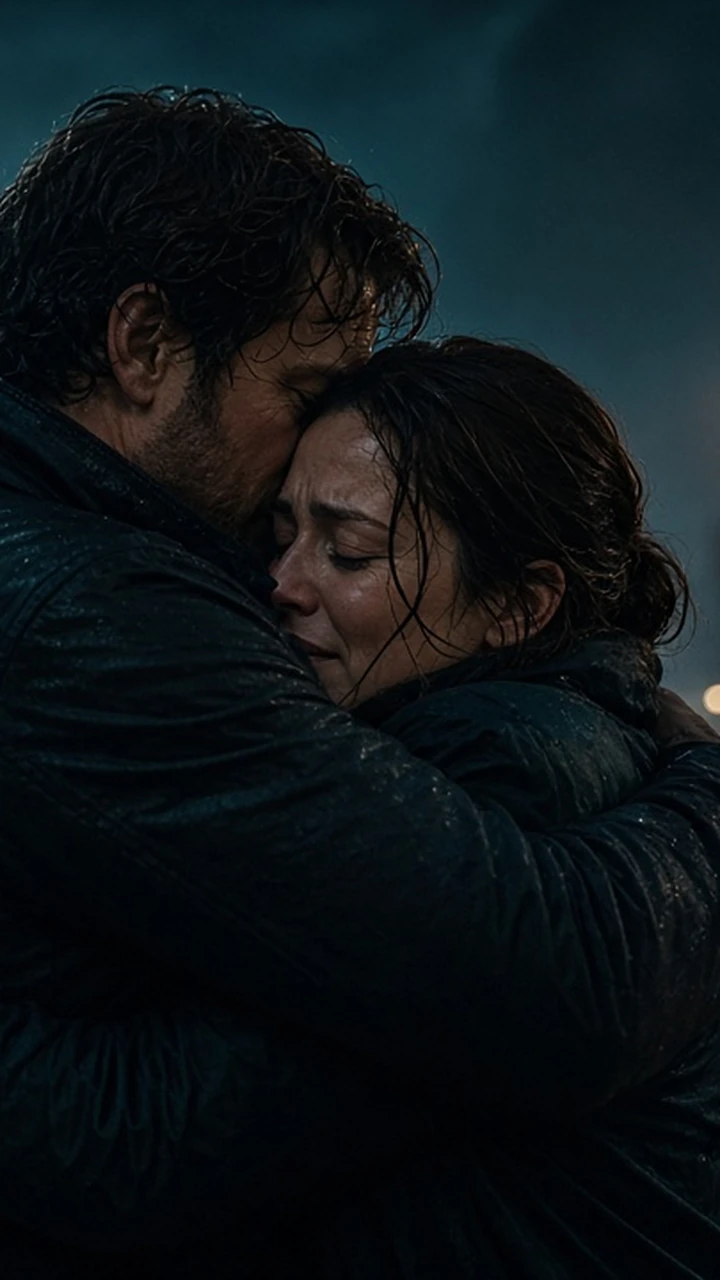
Build a cold composition with A on the left, B on the right, and room around both shoulders. Give B pale skin and a tired expression rather than wounds. Prepare a second cold pose with their arms around each other. Finally prepare a warm version of that embrace: the same head tilt, shoulder height, clothing silhouette, and camera distance, with ordinary skin and evening light. These are our proposed storyboard assets, not supplied Kling templates.
Before spending a generation on movement, compare the cold and warm embrace stills side by side. If one face moves from the upper third to the center, fix the still first. A pleasing individual picture can still be a poor match-cut partner. Save a plain copy of each approved image and keep experiment versions separate.
Map each trend beat to a Kling mode or setting
Our shot plan below uses workflow names documented in Kling’s quickstart and start/end frame guide. Timing, camera choices, and acceptance checks are our editorial recommendations, not Kling presets or guaranteed outputs. Use whichever supported duration your chosen model exposes, then trim to this final timeline.
| Final edit beat | Suggested Kling route / setting | Prompt focus and acceptance check |
|---|---|---|
| 0–3 seconds: ruined world | Image-to-video from the cold two-person still; restrained camera movement. | One small push forward. Both faces visible; no crowd or new character. |
| 3–5 seconds: refusal | Image-to-video from a prepared refusal pose; keep the camera angle fixed. | A lowers the unfired gun away from B. Reject any discharge or threatening follow-through. |
| 5–9 seconds: embrace | Start + end frames if supported, using similar cold poses; otherwise a separate image-to-video hug. | A short move into contact. End with the chosen shoulder alignment; inspect hands and elbows. |
| 9–12 seconds: warm memory | Separate image-to-video from the matching warm embrace still; cut in an editor. | A quiet hold with gentle breathing. Match faces and silhouette at the cut; no gradual zombie morph. |
A beat-by-beat shot plan you can actually edit
Beat one establishes distance, not action spectacle. Start on the two adults already facing each other on an abandoned rain street. Put a broken shop window behind A and a soft pool of light behind B so their positions remain easy to read. Let clothing move slightly. Avoid adding running, debris, lightning, and a circling camera to the same request; none of those tells the viewer why these two people matter.
Beat two is the choice. Begin with the prop already visible, held away from the camera. Ask for a pause, eye contact, and a lowering hand. Keep the barrel away from either face. The story needs refusal, not a convincing weapon demonstration. If the tool rejects the scene, replace the prop with an empty hand that relaxes; do not try to bypass a safety decision. The emotional turn should remain understandable without the object.
Beat three closes the distance. Start close enough that a single step can become a hug. Let B place a hand at A’s upper back while A leans into B’s shoulder. Keep faces partly visible until contact. A full spin would hide the identity cues and make the later match harder. Hold the final embrace long enough to select a clean cutting frame rather than cutting during an arm crossing.
Beat four reinterprets that pose as a memory. Cut directly to healthy skin and warm evening light while keeping shoulder positions fixed. Let the viewer discover the changed world after recognizing the same embrace. Do not ask the cold clip to melt into summer: the hard cut is the storytelling device. On the timeline, align the heads first, then the horizon, and only then adjust the color.
Original prompts for the cold scene and warm memory
These are our own starting prompts for this shot plan. Paste them into the appropriate Kling prompt input, adapting character descriptions to your approved stills. They are not prompts for our maker, which has no freeform prompt field. Generate one shot at a time and retain the same role names throughout.
Cold opening prompt: “Vertical cinematic composition. Two consenting adult fictional characters stand opposite each other on an abandoned rain street. A, on the left in a dark coat, recognizes B, on the right, with pale infected skin and familiar eyes. Both faces remain readable. A small, slow camera push; faint rain and slight coat movement. Their expressions carry grief and recognition. Restrained motion, no wounds, no blood, no additional people, no text.”
Refusal prompt: “Continue the established cold street composition with A left and B right. A pauses, meets B’s eyes, then slowly lowers the unfired prop gun toward the ground and away from B. B remains still and looks back. The camera holds its angle. The emotional action is choosing tenderness. No firing, no muzzle flash, no injury, no sudden lunge.”
Embrace prompt: “Using the supplied cold pose as the visual anchor, A takes one small step toward B. B gently places a hand at A’s upper back. A leans into B’s shoulder and they settle into a quiet embrace. Keep the same clothing, left-right positions, head proportions, and street background. Small natural movement only. End in the planned shoulder-to-shoulder pose. No spinning, no extra limbs, no face transformation.”
Warm memory prompt: “Begin from the supplied warm embrace still. The same two adults, now healthy, hold each other at sunset on a quiet ordinary street. Preserve the head tilt, shoulder line, clothing silhouette, and camera distance of the reference. Gentle breathing and a slight movement of fabric. Warm light, calm expressions, restrained camera. Hold the embrace; no new action, no dialogue, no written text.”
Start and end frames: use them inside a beat
Kling’s start/end frame guide says similar endpoint images are preferable and warns that large differences may produce a shot switch. That makes a cold standing pose and a nearby cold embrace a more sensible experiment than a ruined street and a completely different sunny landscape. Even similar images do not establish that every hand will follow the route you imagined.
Our recommendation is to test the embrace transition alone. Keep background geometry and character positions steady between endpoints. If the transition bends an elbow through a torso, shorten the requested action or start closer to contact. When an end-frame control is unavailable for your selected configuration, animate a single approved embrace still and create the approach with a separate shot. Do not substitute two unrelated portraits just to fill the slots.
Kling DIY versus the Zombie Love Story maker flow
This compares creative control and the current product experience. Zombie Love Story has no partnership with Kling and this maker is not a Kling control panel.
| Decision | DIY with Kling and an editor | Our maker flow |
|---|---|---|
| Inputs | Prepare scene images and write shot-specific prompts. | Two photos as creative reference, with A and B roles; B can be a pet. |
| Story control | You choose poses, movement, shot order, and the final edit. | Four locked beats; choose a world instead of writing a prompt. |
| Match cut | You align the cold and warm embraces in an editor. | The designed fourth beat is the warm-memory match cut. |
| Output expectation | Inspect generated takes before assembling a final file. | Designed SKU: 12 seconds, 9:16, 720p; the preview uses sample stills. |
| Checkout and scale | Check the actual Kling account and selected configuration before submitting. | Checkout is a demo and does not charge. Live paid generation is not connected for mass production. |
Lengths, credits, pricing, and honest limits
Twelve seconds in this guide means our proposed finished edit, not a verified universal Kling clip length. Check the duration selector in the model you actually use. Generate enough material to preserve a readable beginning and ending for each beat; trim spare frames in the editor. A duration printed in an older tutorial should not decide your current workflow.
We fetched Kling’s developer pricing page and global app during this review, but the returned page text did not expose a usable current consumer price or credit allowance. We therefore do not quote a subscription amount, credits per generation, free-tier allocation, or guaranteed number of attempts. API pricing and a consumer checkout should not be treated as interchangeable. Read the cost shown for your selected request before submitting it.
This recipe is an editorial plan, not a tested guarantee of likeness or motion quality. Faces can become hard to judge when they turn away, and a hug can conceal anatomy errors until the subjects separate. Review every frame around contact and the cut. A prompt asking for no extra fingers is an instruction, not proof that the result has correct hands. Keep the stills if they communicate the story better than a damaged take.
If this workflow is the wrong fit
Compare Grok Imagine, Midjourney, Hunyuan, HappyHorse, Seedance, Wan, Vidu, Hailuo, PixVerse, Veo, Sora, Kling, Runway, Luma, and Pika through our tool guides. Check each workflow’s documented inputs and limits, or walk /create to inspect our preview. Checkout is a demo and does not charge; live paid generation is not connected for mass production. Compare Firefly in the guide below. Compare Higgsfield in the guide below. Compare Marey, LTX, Leonardo and Nova Reel in the guides below.
Final review before sharing
- Watch without sound. The viewer should understand recognition, refusal, embrace, and memory from the pictures alone.
- Compare the frame before and after the match cut. Keep the heads and shoulders aligned; remove a distracting flash or unwanted dissolve.
- Inspect the prop, hands, and faces at full size. Reject firing, gore, swapped identities, or a broken embrace rather than hiding the failure under captions.
- Keep captions clear of the faces and label the result as AI-made fiction. Use audio only when you have the rights, and ask the subjects before publishing.
- Save the source stills, chosen takes, and final timeline together so a revised ending does not require rebuilding every beat.
- Zombie love story Marey
- Zombie love story Nova Reel
- Zombie love story Leonardo
- Zombie love story LTX
- Zombie love story Higgsfield
- Zombie love story Firefly
- Zombie love story Grok Imagine
- Zombie love story Midjourney
- Zombie love story Seedance
- Zombie love story HappyHorse
- Zombie love story Hunyuan
- Zombie love story Wan
- Zombie love story Vidu
- Walk the maker
- Zombie love story prompt
- Edit with CapCut
- Plan the match cut
- Choose reference photos
- Share on Telegram
- Zombie love story Runway
- Zombie love story Luma
- Zombie love story Pika
- Zombie love story Sora
- Zombie love story Veo
- Zombie love story Hailuo
- Zombie love story PixVerse
Questions
How do I make the zombie love story trend with Kling?
Prepare matching cold and warm scene stills, animate each dramatic beat separately, then edit the refusal, hug, and warm-memory match cut into one short vertical story. The shot plan and prompts above are our suggested starting point.
Are two portraits the same as start and end frames?
No. Two portraits identify your intended characters. Start and end frames describe temporal endpoints of a shot. Prepare a composition containing both characters before using this guide’s image-to-video plan.
Does Kling have to generate exactly twelve seconds?
No. Twelve seconds is our final edit target. Use the supported duration shown in your chosen Kling configuration and trim the selected takes in an editor.
How many free credits or paid credits does this need?
We could not verify a current consumer credit allowance or request cost from the fetched pricing page. Check your account and selected request; this guide does not promise a free tier or a fixed budget.
Can I paste these Kling prompts into your maker?
No. Our maker has no freeform prompt field. It uses two photos as creative reference, a world choice, and four locked beats. The preview shows sample stills; checkout is a demo and does not charge.
Is Zombie Love Story affiliated with Kling?
No. This is an independent guide with our own shot plan and prompt examples. The maker is not a Kling integration, and live paid generation is not connected for mass production.