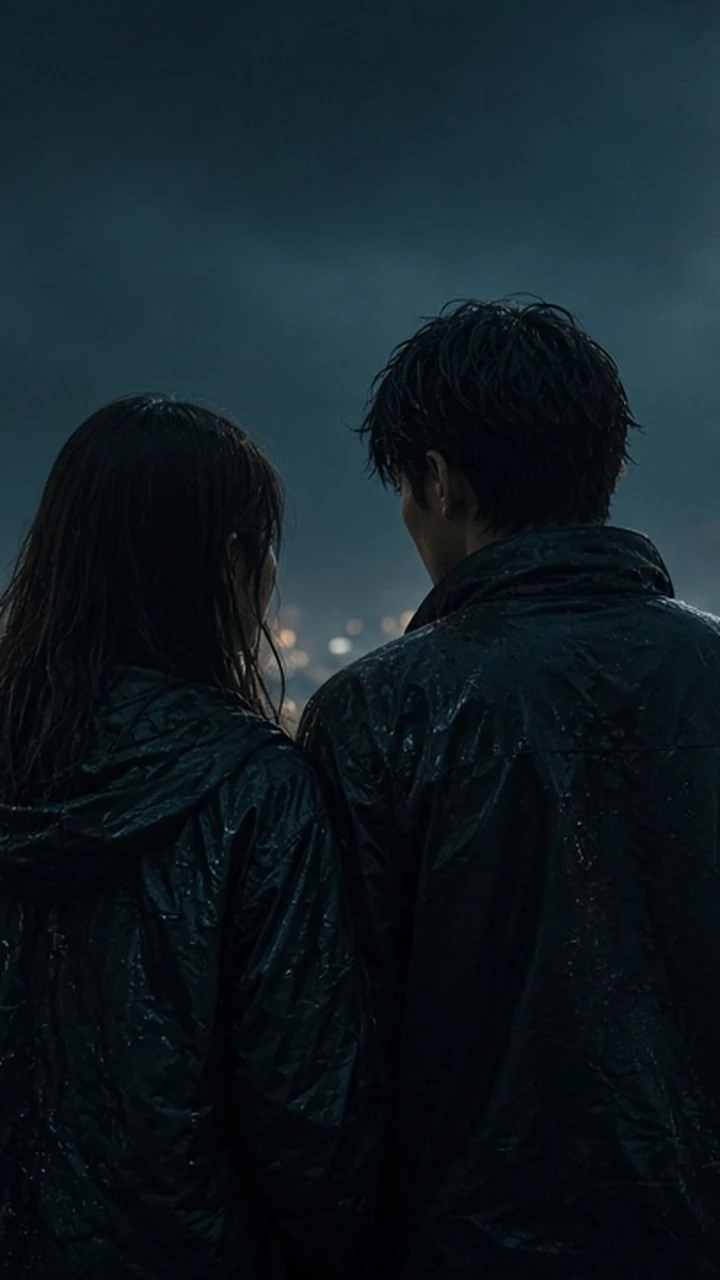
Zombie love story Hunyuan
To make a zombie love story Hunyuan edit, compose matching cold and warm 9:16 stills, animate each beat with single-image first-frame I2V, then trim the five-second takes into a twelve-second silent sequence.
What Hunyuan is, and what is live here
Tencent Cloud TokenHub calls its hosted service Tencent Hy Video Generation and documents Hy-Video-1.5, model ID hy-video-v1.5, for text-to-video and image-to-video. The current hosted version produces five-second takes at 720p. HunyuanVideo-1.5 is also an open-source Tencent-Hunyuan project; its CLI settings are a separate workflow. The TokenHub API guide, project README, and prompt handbook in Sources support the model facts below. We are independent and have no affiliation with Tencent or Hunyuan.
Our target is about twelve seconds, silent and vertical 9:16: ruined world, gun never fires, hug, warm-memory match cut. That is our editorial plan, not a Hunyuan preset. For hosted I2V, supply one first-frame image per job; the aspect follows that still. T2V can specify 9:16 but invents the scene rather than anchoring it to your prepared picture. We prefer prepared stills for this particular continuity problem.
Our maker is a preview/demo. paidGenerationEnabled is false; checkout is a demo and does not charge. Live paid generation is not connected for mass production. Preview shows a cinematic sample still, not a finished generated MP4. There is no freeform prompt field. HappyHorse 1.1 R2V via fal remains our intended future provider path; Hunyuan is a DIY option described here, not our default or intended future provider.
Prepare four first-frame stills before generating
Choose two adult subjects whose pictures you have permission to use. Place the survivor in a charcoal coat on the left and the beloved in a red scarf on the right. Distinguish them by clothing and position when writing prompts, following the handbook’s advice for multiple characters. Keep the fictional infection readable through pale makeup and hesitant posture, without wounds. Our visual direction asks the viewer to recognize affection before danger.
Compose four separate 9:16 pictures: the ruined street, the refusal, the cold embrace, and the warm embrace. For the refusal picture, place the weapon already angled down and away from both people. For the hug, begin with hands close to their resting positions. These choices reduce the amount of motion you need to request; they are our staging advice, not promises about model accuracy.
Match the cold and warm embrace pictures by head height, shoulder diagonal, scarf placement, and crop. Change the world and light, while keeping the pose readable across the cut. Hosted I2V accepts a single JPG, JPEG, or PNG up to 10 MB, supplied by public HTTP/HTTPS URL or Base64. Use a portrait first frame: the hosted API does not support aspect_ratio for I2V. Its image requirements are documented in the TokenHub source.
Our four-beat shot plan mapped to Hy-Video-1.5 modes
Each hosted take is five seconds. The timeline positions and selected portions below are our editing plan, not API duration controls. The input image establishes I2V’s first frame; subsequent content follows the motion prompt.
| Edit beat | Single-image I2V plan | T2V alternative |
|---|---|---|
| 0–3s: ruined world | Use the portrait street still. Ask for a small approach and drifting dust; keep a readable three-second portion. | Specify 9:16 and describe both adults and the street; inspect the invented faces and layout. |
| 3–6s: gun never fires | Use the refusal still. Ask for a small downward wrist movement and a held pause. | Describe a lowered weapon and recognition; reject any take that introduces firing. |
| 6–9s: hug | Use the nearly settled cold embrace. Animate a short closing movement and breathing. | Describe the embrace again; do not assume the previous job’s faces carry over. |
| 9–12s: warm memory | Use the matching warm embrace still. Keep movement slight and hard-cut from the cold hug. | Describe the warm scene and framing; manually compare it with the cold take. |
Timing and trim plan: four five-second takes into twelve seconds
Generate one hosted take for each prepared still. Four five-second sources give twenty seconds of material before editing, not a twenty-second story you must keep. Start with three seconds selected from each take. For example, try seconds 1–4 from the street, 1–4 from the refusal, 2–5 from the hug, and 0–3 from the warm memory. Those are proposed editor selections; inspect each result before choosing its actual in and out points.
Give the refusal its own breathing room. The gun should remain down, the free hand should soften, and the beloved should stop within reach. If the gesture only becomes clear late in the take, move the selection rather than accelerating the action. You can borrow half a second from the street and give it to the refusal while keeping the whole assembly around twelve seconds. A failed beat deserves a replacement take, not a caption explaining what should have happened.
Choose the cold hug’s last usable frame by the shape of the shoulders. Cut to a warm frame with the closest matching shape, even if that requires changing the initial three-second selections. Try a hard cut before adding transitions. The emotional reveal comes from the same embrace surviving a change of world. This match cut is assembled by you; it is not a built-in Hunyuan story template.
Original copyable I2V prompts for every beat
The official handbook’s I2V formula is Subject Motion Dynamics + Scene Motion Dynamics + optional Camera Movement. Each original prompt below follows that order: people move, the environment moves, then a camera instruction. The camera sentences use handbook keywords. Paste one prompt into your own I2V request with its corresponding still. These are creative directions, not official examples or guaranteed controls; the maker has no prompt field for them.
Beat 1 — ruined world: The survivor in the charcoal coat on the left slowly turns toward the beloved in the red scarf on the right. The beloved takes one hesitant step, then pauses as recognition passes between them. Fine dust drifts along the empty ruined street and loose fabric stirs gently. The camera moves forward.
Beat 2 — gun never fires: The survivor on the left lowers the already downward-angled gun slightly and opens the free hand. The beloved on the right stops, watches the survivor, and relaxes the shoulders. The gun never fires; no muzzle flash, recoil, impact, or injury. Dust moves softly behind both adults while their coats barely stir. The camera remains static.
Beat 3 — cold hug: The survivor in the charcoal coat closes the small remaining gap and rests the free hand on the beloved’s upper back. The beloved in the red scarf settles into the embrace with a slight head tilt. The lowered weapon stays away from both bodies. Their breathing gently moves the scarf while dust drifts through the cold street. The camera remains static.
Beat 4 — warm memory: The two healthy adults hold their existing embrace, breathe softly, and make a tiny relaxed shoulder movement without changing sides. The red scarf shifts in a light breeze and sunlit leaves move behind them on the peaceful street. Preserve the held pose for an editorial cut. The camera remains static.
Keep the first experiment this restrained. A large orbit or sudden zoom changes the shoulder geometry that the final cut needs. If fingers tangle, revise the opening still so fewer fingers overlap and ask for less hand travel. Optional negative_prompt can describe unwanted content according to the hosted API; it does not replace reviewing the result for gunfire, distorted hands, or changed identities.
DIY Hunyuan versus our maker
Use this distinction before deciding where to spend your editing effort. The guide explains a workflow you operate yourself.
| Decision | DIY hosted Hy-Video-1.5 | Our maker today |
|---|---|---|
| Inputs | One prepared first frame per I2V job, or text for a T2V job. | Two photos as creative reference in a fixed preview flow. |
| Prompts | Adapt the four motion prompts and submit separate takes. | No freeform prompt field; these prompts cannot be pasted into the maker. |
| Output and edit | Download takes, select usable portions, join four beats, and remove sound. | A cinematic sample still, not a finished generated MP4. |
| Availability | Operate your own API workflow and review its requirements. | Checkout is a demo and does not charge; live paid generation is not connected for mass production. |
Lengths, limits, sound, and watermark checks
The hosted API’s current-version footnote is decisive: duration is fixed at five seconds and resolution at 720p, even though duration and resolution parameters exist. Do not plan a twelve-second hosted request around those parameter names. Providing image or image_url selects I2V; without an image the API uses T2V. Only T2V can specify aspect_ratio. For our I2V portrait plan, prepare the portrait still before submitting.
TokenHub submission returns a task_id; poll the task until succeeded or failed. Successful videos have temporary download URLs, so save selected takes promptly. Generation can fail or be rejected by platform policy. A successful job still needs editorial review: check the faces, the refusal, and the relationship between the two embrace frames before retaining it.
The response may include videos[].audio_url, which is empty when no audio is available. If that field is present with audio, or the clip itself has sound, mute or strip audio in your editor. Check the final exported file silently. The hosted footnote parameter supplies a custom lower-right watermark of up to 16 characters. Check whether you can leave footnote empty, or accept or remove a watermark in your editor; the cited API provides no watermark:false flag.
Open-source CLI and alternatives
The HunyuanVideo-1.5 README documents 480p and 720p CLI resolution choices and a default video_length of 121 frames. The supplied README facts do not document output FPS, so this guide does not convert that frame count into seconds. The CLI uses image_path for I2V and documents its own prompt and aspect settings. Keep those controls separate from the fixed five-second, 720p hosted service when planning your work.
If this workflow is the wrong fit, compare HappyHorse, Seedance, Wan, Vidu, Hailuo, PixVerse, Veo, Sora, Midjourney, Kling, Runway, Luma, and Pika through the guides below. Compare their documented inputs with the stills you already have. Or open /create to inspect our fixed story preview. Switching tools does not make the current demo a live production service. Compare Grok Imagine in the guide below. Compare Firefly in the guide below. Compare Higgsfield in the guide below. Compare Marey, LTX, Leonardo and Nova Reel in the guides below.
Final checks before sharing
- Watch silently: ruined world, gun never fires, hug, then warm memory. Reject firing, recoil, injury, gore, or a refusal that cannot be read.
- Compare both faces, hands, scarf, shoulder alignment, and screen direction at every join. Replace a weak take rather than hiding it beneath a transition.
- Check the exported portrait crop, audio track, and lower-right watermark. Keep downloaded takes and opening stills so one beat can be replaced.
- Use permitted adult references with consent, label the result as AI fiction, and distinguish your DIY export from our preview’s sample still.
- Zombie love story Marey
- Zombie love story Nova Reel
- Zombie love story Leonardo
- Zombie love story LTX
- Zombie love story Higgsfield
- Zombie love story Firefly
- Zombie love story Grok Imagine
- Zombie love story Midjourney
- Walk the maker
- Zombie love story HappyHorse
- Zombie love story Seedance
- Zombie love story Wan
- Zombie love story Vidu
- Zombie love story Hailuo
- Zombie love story PixVerse
- Zombie love story Veo
- Zombie love story Sora
- Zombie love story Kling
- Zombie love story Runway
- Zombie love story Luma
- Zombie love story Pika
Zombie love story Hunyuan FAQ
How do I make a zombie love story with Hunyuan?
Prepare four matching portrait stills, animate one beat per single-image I2V job, and trim the hosted five-second takes into our twelve-second silent edit.
Can hosted Hy-Video-1.5 generate the twelve-second story in one request?
The current hosted version is fixed at five seconds and 720p. Twelve seconds is our editorial target, assembled from multiple takes.
How do I get portrait I2V?
Use a 9:16 first-frame still. Hosted I2V follows the input image aspect and does not support aspect_ratio; T2V can specify 9:16 but invents the scene.
Is the open-source default 121 frames a documented duration in seconds?
No. The supplied README facts give a frame count without output FPS. Keep that CLI setting separate from the hosted five-second take.
Can your maker produce these Hunyuan clips today?
Our maker is a preview/demo with no freeform prompt field. It shows a cinematic sample still, not a finished generated MP4. Checkout does not charge, and live paid generation is not connected for mass production.