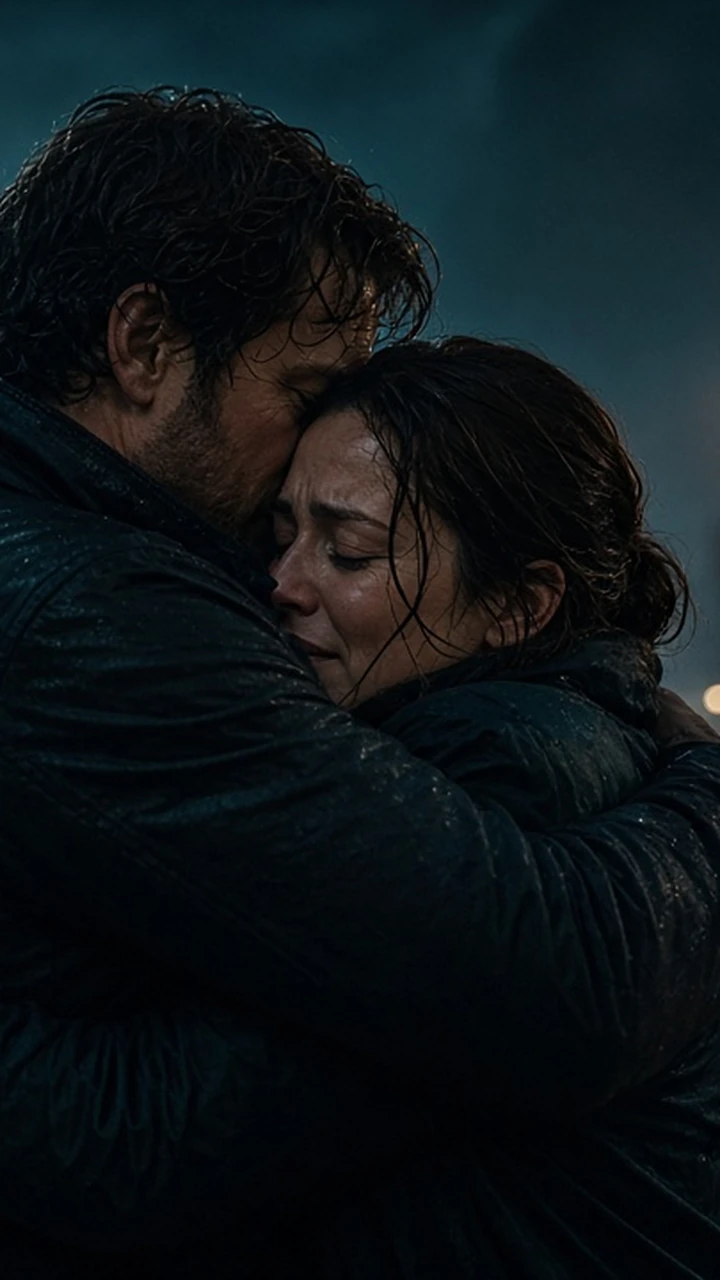
Zombie love story Pika
To make a zombie love story Pika clip, generate matching cold and warm scene stills, animate each beat with Pika 2.5 image-to-video or Frames, then edit the ruined world, an unfired gun, a hug, and a warm-memory match cut into one vertical story.
Choose Pika 2.5 image-to-video / Frames before writing the prompt
Four beats: a ruined world, a survivor who refuses to fire, an embrace, and a warm memory of the same couple. Our finished edit is about twelve seconds, vertical 9:16. That is our target, not a Pika native preset. Prefer generating 5-second takes, or a 10-second image-to-video take that spans two beats, then hard-cut in an editor.
Pika at pika.art is AI creative tools for video, image, and audio. Create apps live at create.pika.art. Homepage models include Seedance 2.5, Pika 2.5, GPT Image 2.5, Grok Imagine 1.5, Pika Audio, Gemini 1.1 Omni Flash, Nano Banana 2, and MiniMax H3. Apps include Video Studio (short clip to about 30 seconds multi-shot), Color Grade, Extend Video, Pika Soundtrack, Edit Image, Character Studio, Image Studio, and Product Shot.
Pika 2.5 is the flagship. Image-to-video turns a photo into motion at 5 seconds or 10 seconds, up to 1080p. Text-to-video is a prompt alone, 5 seconds at 720p or 1080p. Frames takes 2 to 5 ordered stills; consecutive pairs become transitions; each pair can run 1 to 5 seconds, or 10 seconds with exactly two frames; one prompt guides all. Resolutions are 720p or 1080p. A five-keyframe sequence renders at 720p. Pika 2.5 has no native audio; score with Pika Soundtrack after. Omni is one-shot (a prompt with or without one image). Frames is the sequence path.
Optional: Pika H3 Flex (post-trained MiniMax H3) for a rendered soundtrack or a 5 to 15 second take at 480p or 768p, 9:16, with Dialogue / Music / Effect stems. Product copy says draft explore and up to 4K when finishing. Two portraits name the people, not a start frame. Generate the cold and warm embraces as separate clips.
Prepare the couple and the matching stills
Use adults who agreed to this fictional treatment. Pick readable eyes, jaw, and hair at a similar camera height. A is the survivor. B is the infected beloved. The photo guide covers the rest. No celebrities, strangers, or minors.
Make four stills in Image Studio, or with GPT Image 2.5, Grok Imagine 1.5, or Nano Banana 2, before a Pika 2.5 video generation. We did not verify a still credit cost, so this guide does not quote one. One vertical frame each: cold two-shot, refusal, cold embrace, warm embrace. A on the left, B on the right, pale tired skin, no wounds.
Compare the cold and warm embraces before you animate. If a face jumps from the upper third to the center, fix the still. Match the camera distance, then continue a pose the frame already shows.
Map each trend beat to a Pika 2.5 / Pika H3 Flex mode or setting
Mode names and durations are from Pika 2.5, H3 Flex, and pricing, fetched 2026-11-07. Timing and acceptance checks are ours.
| Final edit beat | Suggested Pika 2.5 / H3 Flex route | Prompt focus and acceptance check |
|---|---|---|
| 0–3 seconds: ruined world | Pika 2.5 image-to-video from the cold two-shot, 5 seconds, 720p or 1080p. Optional H3 Flex: 5 seconds, 768p, 9:16, one image as first-frame image-to-video. | One small push forward. Both faces visible. No crowd or new character. Trim the 5-second take to about 3 seconds. |
| 3–5 seconds: refusal | Separate 5-second Pika 2.5 image-to-video from the refusal still. Frames alternative: two ordered stills (two-shot then refusal) at 10 seconds with exactly two frames, then trim. | A lowers the unfired gun away from B. Reject any discharge or threatening follow-through. Trim to about 2 seconds. |
| 5–9 seconds: embrace | 5-second Pika 2.5 image-to-video from the cold embrace still. Frames: 2 to 5 ordered cold-world stills; consecutive pairs become transitions at 1 to 5 seconds each. Five keyframes render at 720p. Leave the warm still out. | One short step into contact. End on the chosen shoulder line. Inspect hands and elbows. Trim to about 4 seconds. |
| 9–12 seconds: warm memory | A separate 5-second Pika 2.5 image-to-video from the warm embrace still. Hard-cut in an editor. Optional H3 Flex 5-second 768p take with soundtrack; warm still only. | A quiet hold with gentle breathing. Match faces and silhouette at the cut. Generate the cold and warm embraces separately. |
A beat-by-beat shot plan you can actually edit
Beat one is a wasteland road at blue hour. The two adults already face each other. A gutted sedan sits behind A, and an empty horizon behind B. Coat hems move in a light wind. Skip running and a circling camera. Discard a third figure. The clip is 5 seconds and this beat needs about 3, so set an in-point and an out-point.
Beat two is the choice. The prop starts low, away from the camera. Ask for a pause, eye contact, and a lowering hand. Keep the barrel off both faces. If the tool rejects the scene, use an empty hand that relaxes. Do not bypass a safety block. A 10-second Pika 2.5 take, or Frames with exactly two frames at 10 seconds, can cover beats one and two.
Beat three closes the distance. Start close enough that one step becomes a hug. B’s hand meets A’s upper back. Faces stay partly visible until contact. On Omni, the cold embrace still is the single image. On Frames, order a near-contact still then the settled hug, 1 to 5 seconds for that pair, same road and left-right order. Leave the warm still out of this job.
Beat four reads that pose as a memory. Hard-cut to healthy skin and wheat-dusk light. Keep the shoulder line. Generate the hold from the warm still as its own 5-second Pika 2.5 clip and trim to about three seconds. H3 Flex can hold this beat up to 15 seconds with a soundtrack; keep that job on the warm still only. Align the heads, then the horizon, then the color.
Original prompts for stills and motion
These prompts are ours. Still lines go to Image Studio or GPT Image 2.5. Motion lines go to Pika 2.5 image-to-video with the matching still, or to Frames as the one prompt that guides the ordered stills. They are not for our maker, which has no freeform prompt field.
Cold two-shot still: “Vertical 9:16 cinematic still. Survivor on the left in a dark coat, beloved on the right with pale infected skin and familiar eyes, facing each other on an empty wasteland road at blue hour. Both faces readable. Gutted sedan behind the survivor. No wounds, no extra people, no text.”
Refusal still: “Same road. The survivor holds an unfired prop gun low and away from the beloved, barrel at the dirt, eyes locked. No muzzle flash, no injury.” Motion prompt: “Hold the camera. The survivor pauses, meets the other person’s eyes, then slowly lowers the unfired prop. Small coat movement only. No firing, no lunge.”
Cold embrace still: “Same road and wardrobe. The survivor and the beloved in a quiet shoulder-to-shoulder embrace, faces partly visible, hands on upper back. Pale infected skin on the beloved only.” Motion prompt: “From this pose, take one small step into a closer hold. Settle. Gentle breathing. Keep left-right positions. No extra limbs, no face transformation.”
Warm memory still: “The same two adults, now healthy, hold each other at wheat-field dusk. Preserve the head tilt, shoulder line, clothing silhouette, and camera distance of the cold embrace. Warm light, no text.” Motion prompt: “Begin on this warm embrace. Gentle breathing, slight fabric movement. Hold the pose. No new action, no text.”
Frames prompt for the cold world only, three stills in order (two-shot, refusal, settled hug): “Vertical 9:16. Stay on this ruined road at blue hour. Move only through the poses already in the stills: a pause, a lowered unfired prop, then one step into a quiet hug. Gentle wind on coats. Both faces readable. No new people, no muzzle flash, no healing of skin.” Run the warm still as a separate Omni job.
Frames keyframes versus Omni single-shot
Omni is the one-shot path: a prompt, with or without one image. Image-to-video is Omni with a photo; text-to-video is Omni with a prompt alone at 5 seconds, 720p or 1080p. Once you have a composed still, prefer image-to-video. A portrait of one person is not a first frame; the still has to show both characters in the beat.
Frames is the sequence path. You load 2 to 5 ordered stills. Consecutive pairs become transitions. Each pair can run 1 to 5 seconds, or 10 seconds when you load exactly two frames. One prompt guides all of them. Resolutions are 720p or 1080p; a five-keyframe sequence renders at 720p. Use Frames to walk the cold world: two-shot into refusal into hug. The warm memory belongs in a new Omni job or a two-frame Frames job of warm stills only.
H3 Flex attachments change the route: empty is text-to-video, one image is first-frame image-to-video, more than one is reference-to-video, with a cap of 12 references (at most 9 images, 3 video clips, 3 audio). Keep the warm still out of a cold-world reference stack.
Pika DIY versus the Zombie Love Story maker flow
Zombie Love Story has no partnership with Pika and this maker is not a Pika control panel.
| Decision | DIY with Pika and an editor | Our maker flow |
|---|---|---|
| Inputs | Prepare scene stills in Image Studio or GPT Image 2.5 and write shot-specific prompts for Pika 2.5 image-to-video or Frames. | Two photos as creative reference, with A and B roles; B can be a pet. |
| Story control | You choose Omni or Frames, 5 or 10 seconds on Pika 2.5, 720p or 1080p, 9:16 in the edit, and optional H3 Flex 5 to 15 seconds with soundtrack. | Four locked beats; choose a world instead of writing a prompt. |
| Match cut | You generate the cold and warm embraces separately and align them in an editor. One Pika clip should not morph infected skin into the memory. | The designed fourth beat is the warm-memory match cut. |
| Output expectation | Inspect takes, then trim 5-second or 10-second clips into the twelve-second story. Pika 2.5 has no native audio; score with Pika Soundtrack, or use H3 Flex for a rendered soundtrack. | Designed SKU: 12 seconds, 9:16, 720p; the preview uses sample stills. |
| Checkout and scale | Free, Starter, Creator, and Fancy are Pika’s own plans (legacy Basic, Standard, Pro, Unlimited). All individual plans include all models; commercial license from Starter; no watermark on any plan. | Checkout is a demo and does not charge. Live paid generation is not connected for mass production. |
Lengths, credits, pricing, and honest limits
Twelve seconds is our edit, not a Pika length. Prefer 5-second Pika 2.5 takes, trimmed to about 3, 2, 4, and 3 seconds. A 10-second image-to-video take can span two cold beats. Generate the warm memory separately. H3 Flex runs 5 to 15 whole seconds and can hold one world, not the match cut.
Individual plans from the pricing page fetched 2026-11-07, last updated October 28, 2026: Free is $0 with credit packs and no watermark. Starter is $10 a month, or $8 a month annually ($96 a year), with 600 credits a month. Creator is $35 a month, or $28 a month annually ($336 a year), with 2,600 credits a month. Fancy starts from $95 a month, or from $76 a month annually (from $912 a year), with 8,550 or more credits a month. Enterprise is custom. All individual plans include all models. A commercial license starts at Starter. No watermark on any plan. Credits refresh monthly on annual plans. Creator and Fancy currently list limited-time free Pika H3 Flex generations every day.
Pricing table examples we verified: Pika H3 Flex at 768p for 5 seconds is 10 credits; Pika 2.5 at 720p for 5 seconds is 20 credits; Seedance 2.5 at 720p for 5 seconds is 122 credits. The H3 Flex FAQ estimates about 10 credits for 5s 768p and about 5 at 480p; prefer the table. This guide does not quote a 10-second or 1080p Pika 2.5 cost, a still cost, or a per-second API dollar price.
Video takes only, at those table rates: four 5-second 720p Pika 2.5 takes are 80 credits; four 5-second 768p H3 Flex takes are 40 credits. Starter’s 600 monthly credits cover 30 of those Pika 2.5 clips before stills and retries. Creator’s 2,600 cover 130. Prefer Pika 2.5 at 20 credits over Seedance 2.5 at 122 for this story. Top-up credit packs are only for Pika Create on pika.art and MCP on pika.art/mcp — not API, iOS, or old.pika.art. Legacy names Basic, Standard, Pro, and Unlimited map to Free, Starter, Creator, and Fancy.
Our maker has no freeform prompt field. The preview shows sample stills. Checkout is a demo and does not charge. Live paid generation is not connected for mass production.
If this workflow is the wrong fit
Compare Grok Imagine, Midjourney, Hunyuan, HappyHorse, Seedance, Wan, Vidu, Hailuo, PixVerse, Veo, Sora, Kling, Runway, Luma, and Pika through our tool guides. Check each workflow’s documented inputs and limits, or walk /create to inspect our preview. Checkout is a demo and does not charge; live paid generation is not connected for mass production. Compare Firefly in the guide below. Compare Higgsfield in the guide below. Compare Marey, LTX, Leonardo and Nova Reel in the guides below.
Final review before sharing
- Watch without sound. The viewer should understand recognition, refusal, embrace, and memory from the pictures alone.
- Compare the frame before and after the match cut. Keep the heads and shoulders aligned; remove a distracting flash or unwanted dissolve.
- Inspect the prop, hands, and faces at full size. Reject firing, gore, swapped identities, or a broken embrace rather than hiding the failure under captions.
- Keep captions clear of the faces and label the result as AI-made fiction. Use audio only when you have the rights, and ask the subjects before publishing.
- Save the source stills, chosen takes, and final timeline together so a revised ending does not require rebuilding every beat.
- Zombie love story Marey
- Zombie love story Nova Reel
- Zombie love story Leonardo
- Zombie love story LTX
- Zombie love story Higgsfield
- Zombie love story Firefly
- Zombie love story Grok Imagine
- Zombie love story Midjourney
- Zombie love story Seedance
- Zombie love story HappyHorse
- Zombie love story Hunyuan
- Zombie love story Wan
- Zombie love story Vidu
- Walk the maker
- Zombie love story prompt
- Edit with CapCut
- Plan the match cut
- Choose reference photos
- Zombie love story Luma
- Zombie love story Runway
- Zombie love story Sora
- Zombie love story Veo
- Zombie love story Hailuo
- Zombie love story PixVerse
Questions
How do I make the zombie love story trend with Pika?
Prepare matching cold and warm stills, animate each beat with Pika 2.5 image-to-video or Frames, then cut the refusal, hug, and warm memory together. Score Pika 2.5 with Pika Soundtrack, or use H3 Flex when you need a rendered soundtrack.
Are two portraits the same as a Pika 2.5 first frame or Frames keyframes?
No. Portraits identify the people. A first-frame image-to-video still already shows the couple in one beat. Frames keyframes are 2 to 5 ordered scene stills; consecutive pairs become transitions. Both should already contain the couple in one world.
Does Pika have to generate exactly twelve seconds?
No. Twelve seconds is our edit target. Pika 2.5 image-to-video runs 5 or 10 seconds. Frames pairs run 1 to 5 seconds, or 10 seconds with exactly two frames. H3 Flex runs 5 to 15 whole seconds. Trim in an editor.
How many credits does a Pika pass take?
Four 5-second 720p Pika 2.5 takes are 80 credits before stills, drafts, and retries. Four 5-second 768p H3 Flex takes are 40 credits. Starter lists 600 monthly credits. Use the pricing table when a product FAQ disagrees. This guide does not quote a 10-second or 1080p Pika 2.5 cost.
Can I paste these Pika prompts into your maker?
No. Our maker has no freeform prompt field. It uses two photos as creative reference, a world choice, and four locked beats. The preview shows sample stills; checkout is a demo and does not charge.
Is Zombie Love Story affiliated with Pika?
No. This is an independent guide with our own shot plan and prompt examples. The maker is not a Pika integration, and live paid generation is not connected for mass production.
Should I use Omni or Frames for the four beats?
Use Omni image-to-video for one beat from one still. Use Frames when you have 2 to 5 ordered cold-world stills and want consecutive pairs as transitions. Keep the warm memory in a separate job so the clip does not morph infected skin into the memory.