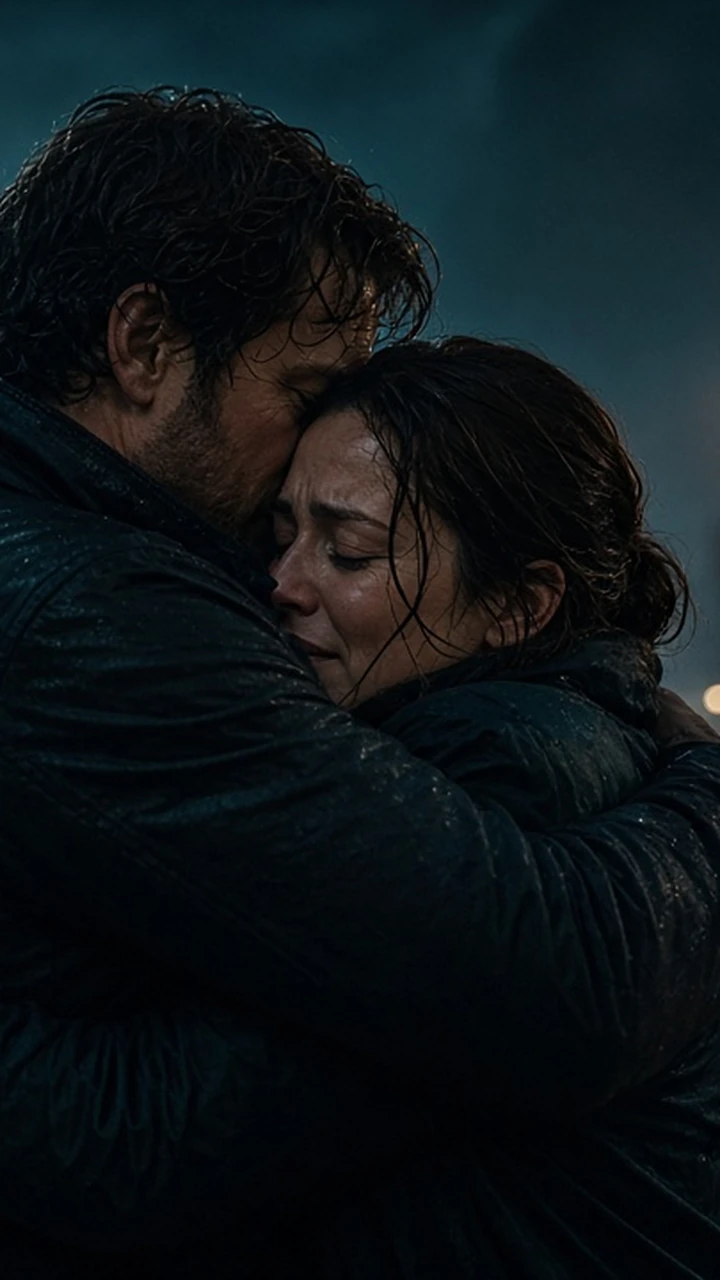
Zombie love story PixVerse
To make a zombie love story PixVerse clip, draw matching cold and warm 9:16 stills of the couple, run PixVerse image-to-video on the cold beats, then use its first-and-last-frame mode to bridge the cold embrace into the warm memory; or use our maker for the still/beat flow.
Choose PixVerse image-to-video, first-and-last-frame, multi-transition, or an effect template before writing the prompt
Four beats: a ruined world, a survivor who refuses to fire, an embrace, and a warm memory of the same couple. Our edit is about twelve seconds, vertical 9:16 — our target, not a PixVerse preset. Image-to-video and video templates use POST /openapi/v2/video/img/generate. Ordinary generation needs img_id from an uploaded image. A template-based task uses template_id; template metadata decides model, duration, and quality — do not assume every template accepts the same combination. Models: v6-max, c1, v6, v5.6, v5.5, v5, v4.5, v4, v3.5, v5-fast (v5-fast depends on account permissions). Prompt maxLength 2048. Duration: C1/V6 1–15s; V5.5/V5.6 5, 8, or 10; older models 5 or 8. Quality: 360p, 540p, 720p, 1080p. generate_audio_switch true = audio, false = silent. generate_multi_clip_switch is V5.5 or V6 only, not with template_id.
Upload the still first: JPEG, PNG, or WebP, under 20 MB, neither dimension over 10,000 pixels. Draw it 9:16 so the first frame is vertical. First-and-last-frame uses POST /openapi/v2/video/transition/generate between first_frame_img and last_frame_img. Listed models: c1 and v6. Duration 1–15. Prompt up to 5000 characters. Quality 360p, 540p, 720p, or 1080p. Model-specific limits apply. That mode asks the model to bridge the cold embrace into the warm memory. Results vary.
Multi-transition generates transitions between uploaded keyframes in order. Each duration describes the segment leading to the next frame; for the final item omit duration or set 0. Prompts must stay aligned with their segments. Get Effect Template List returns effect and workflow templates with input requirements, supported resolutions, and credit configuration. This guide quotes no credit numbers and does not claim a zombie-love-story template. Prefer c1 or v6 so image-to-video and first-and-last-frame share a model family. Keep generate_audio_switch false. The consumer product lives at pixverse.ai. There is no partnership with PixVerse. Our maker has no freeform prompt field. The preview shows sample stills. Checkout is a demo and does not charge. Live paid generation is not connected for mass production.
Prepare the couple and the matching stills
Use adults who agreed. Match eyes, jaw, and hair at one camera height. A is the survivor. B is the infected beloved. No celebrities, strangers, or minors. The photo guide covers framing.
Make four vertical 9:16 stills first: cold two-shot, refusal, cold embrace, warm embrace. A on the left, B on the right. Pale tired skin in the cold frames, no wounds. The still is the frame you upload for img_id, first_frame_img, or last_frame_img, not a portrait of one face. JPEG, PNG, or WebP, under 20 MB, neither dimension over 10,000 pixels.
Match distance, head height, and shoulder line on both embraces. The warm still is healthy skin at wheat dusk. Keep it out of every cold image-to-video job. First-and-last-frame is the job that sees both stills. If that bridge looks like melting skin, discard it and hard-cut two image-to-video takes.
Map each trend beat to PixVerse API modes versus our maker
Modes, durations, and quality values are from the PixVerse platform pages fetched 2026-11-11. The timings and the four-beat plan are this guide’s own edit, not a PixVerse setting.
| Final edit beat | PixVerse API mode and settings | Our maker |
|---|---|---|
| 0–3 seconds: ruined world | Image-to-video from the 9:16 cold two-shot: img_id, c1 or v6, 5 seconds, 720p, prompt up to 2048, generate_audio_switch false. Trim to about 3 seconds. Multi-transition can start here. Skip effect templates unless Get Effect Template List shows a matching workflow. | Beat one of a locked 12-second 9:16 four-beat clip. You pick a world. There is no prompt field. |
| 3–5 seconds: refusal | Image-to-video from the refusal still, 5 seconds, 720p, silent, trim to about 2. Optional first-and-last-frame (c1 or v6, 1–15s, prompt up to 5000) from the two-shot to this still. Reject muzzle flash. Multi-transition: next keyframe. No gun effect template is assumed. | Beat two. The gun raises and never fires. Locked with the other three beats. |
| 5–9 seconds: embrace | Image-to-video from the cold hug, 5 or 8 seconds, 720p or 1080p, silent, trim to about 4. Optional first-and-last-frame inside the cold world, c1 or v6. Multi-transition: third keyframe. generate_multi_clip_switch is V5.5 or V6 only and not with template_id. | Beat three, the AI zombie hug. Sample stills on the preview path. |
| 9–12 seconds: warm memory | First-and-last-frame: first_frame_img the cold embrace, last_frame_img the warm embrace, c1 or v6, 5 seconds, 720p, prompt up to 5000. Asks the model to bridge; results vary. Fallback: image-to-video from the warm still, then a hard cut. Multi-transition final item: omit duration or set 0. | Beat four is already the warm-memory match cut. |
A beat-by-beat keyframe plan you can actually edit
The search answer is two kinds of job. Draw matching 9:16 stills. Run image-to-video on the cold beats — two-shot, refusal, hug — then first-and-last-frame with the cold-embrace still as first_frame_img and the warm-memory still as last_frame_img, c1 or v6, 5 seconds, 720p. generate_audio_switch false on the image-to-video jobs. That asks the model to bridge the hold. If the bridge smears skin, hard-cut a warm image-to-video take.
Beat one is the wasteland road at blue hour. Generate 5 seconds at 720p from the cold two-shot and trim to about 3. A C1 or V6 take may run up to 15 seconds; trim back. Beat two starts from a still that already shows the unfired prop low. Five silent seconds, trim to about 2. Keep the barrel off both faces.
Beat three is one step into the hug from the cold embrace still. Five or eight seconds at 720p trims to about 4. Stay in the cold world. Beat four is first-and-last-frame from the cold hug to the warm hug. Phrase the prompt as a hold that stays aligned, then trim toward about 3 seconds. If you skip the bridge, trim four image-to-video jobs to about 3, 2, 4, and 3 seconds. Multi-transition can send those four stills in order, last item duration 0, prompts on their segments.
Original prompts for stills and PixVerse modes
These prompts are ours, for an image tool and for PixVerse. Image-to-video prompts stay under 2048 characters. First-and-last-frame prompts may run to 5000; these do not need that room. Our maker has no freeform prompt field.
Cold two-shot still: “Vertical 9:16 first frame. Two adults on a broken highway at blue hour. Survivor left, dark coat. Beloved right, pale tired skin, no wounds. Faces large enough to read. Empty horizon. No text.” Image-to-video: “Hold both faces in frame. Light wind in the coats. No extra people, no running, and no orbit.”
Refusal still: “Same highway and wardrobe. The survivor holds an unfired prop low, barrel toward the dirt, eyes on the beloved. No muzzle flash and no injury.” Image-to-video: “A pause, then the prop lowers. Small coat movement. No firing, no lunge, no speech.”
Cold embrace still: “Same highway. Quiet embrace, faces partly visible, hands on upper back. Pale infected skin on the beloved only. Shoulder line matches the later warm still.” Image-to-video: “One small step into a closer hold, then settle. Gentle breathing. Keep left-right positions. No extra limbs and no face change.”
Warm memory still: “The same two adults, now healthy, at wheat-field dusk. Keep the cold embrace head tilt, shoulder line, and camera distance. Warm light, no text.” Image-to-video: “Hold the embrace. Dusk wind. No change of skin.”
First-and-last-frame bridge, c1 or v6, 5 seconds, 720p: first_frame_img the cold embrace, last_frame_img the warm memory. Prompt: “Keep the same two adults, left-right order, head tilt, and shoulder line. Bridge the hold from the cold highway embrace to the wheat-dusk hold. No extra people, no weapon fire, no added wounds.” Treat the result as a request, not a finished morph.
Multi-transition order: cold two-shot, refusal, cold embrace, warm embrace. Segment prompts: “Wind, both faces held, walk toward the refusal.”; “The survivor lowers the unfired prop.”; “One step into the cold embrace, then the same hold bridges to the warm wheat-dusk embrace.”; final item (the warm-embrace keyframe) duration 0, no new action. Each duration and prompt describes the segment leading to the next frame, so the cold-to-warm instruction belongs on the third segment.
PixVerse DIY versus the Zombie Love Story maker flow
Zombie Love Story has no partnership with PixVerse, and this maker is not a PixVerse control panel.
| Decision | DIY with PixVerse and an editor | Our maker flow |
|---|---|---|
| Inputs | Four 9:16 stills, JPEG/PNG/WebP, under 20 MB, neither dimension over 10,000 pixels. img_id for image-to-video; first_frame_img and last_frame_img for the bridge; ordered keyframes for multi-transition. | Two photos as creative reference, with A and B roles. B can be a pet. JPG, PNG, or WEBP, 10MB or less. |
| Story control | You pick a listed model, a legal duration for it, 360p/540p/720p/1080p, generate_audio_switch, and image-to-video, first-and-last-frame, multi-transition, or a template_id from the effect list. | Four locked beats. Choose a world instead of writing a prompt. |
| Match cut | First-and-last-frame from the cold embrace to the warm memory asks the model to bridge; results vary. The fallback is two image-to-video takes and a hard cut. Multi-transition can end on the warm still with duration 0. | The designed fourth beat is the warm-memory match cut. |
| Output expectation | Trim 5-second or 8-second takes, or a C1/V6 take up to 15 seconds, into the twelve-second story. Twelve seconds is legal on C1/V6 as a duration and is still our edit. Draw 9:16 stills so the opening frame is vertical. | Designed SKU: 12 seconds, 9:16, 720p. The preview uses sample stills. |
| Checkout and scale | Run the jobs on the PixVerse API or at the consumer product on pixverse.ai. This guide quotes no price and no credit numbers. | Checkout is a demo and does not charge. Live paid generation is not connected for mass production. |
Lengths, honest limits, and what to use instead
Twelve seconds is this guide’s editing target. Prefer 5-second silent 720p image-to-video takes — legal on C1/V6, V5.5/V5.6, and older models — then trim four takes to about 3, 2, 4, and 3 seconds. Use 8 seconds for a longer hug, 10 only on C1/V6 or V5.5/V5.6, and 12 only on C1/V6 inside one world. First-and-last-frame lists c1 and v6, duration 1–15; it asks the model to bridge, and results vary. Skip effect templates unless the list shows a matching workflow. generate_multi_clip_switch is V5.5 or V6 only and not with template_id. This guide quotes no price and no credit numbers.
If PixVerse is the wrong mode mix, the Vidu, Hailuo, Veo, Midjourney, Kling, Runway, Luma, and Pika guides map the same four beats. The Sora guide keeps the same beat plan. Or walk our maker: two photos, one world, four locked beats, no prompt field. Preview shows sample stills. Checkout is a demo and does not charge. Live paid generation is not connected for mass production. Compare Grok Imagine in the guide below. Compare Firefly in the guide below. Compare Higgsfield in the guide below. Compare Marey, LTX, Leonardo and Nova Reel in the guides below.
Final review before sharing
- Watch without sound. Recognition, refusal, embrace, and memory should read from the pictures.
- Keep heads and shoulders aligned on the cut between the cold hug and the warm memory. Export every take at the same resolution.
- Reject firing, gore, swapped identities, extra limbs, a smeared skin bridge you cannot use, or a broken embrace.
- Label the clip as AI-made fiction, keep captions off the faces, and ask the subjects before you publish.
- Save the 9:16 stills, the PixVerse takes, and the timeline together.
- Zombie love story Marey
- Zombie love story Nova Reel
- Zombie love story Leonardo
- Zombie love story LTX
- Zombie love story Higgsfield
- Zombie love story Firefly
- Zombie love story Grok Imagine
- Zombie love story Midjourney
- Zombie love story Seedance
- Zombie love story HappyHorse
- Zombie love story Hunyuan
- Zombie love story Wan
- Zombie love story Vidu
- Walk the maker
- Zombie love story prompt
- Edit with CapCut
- Plan the match cut
- Choose reference photos
- Zombie love story Hailuo
- Zombie love story Veo
- Zombie love story Sora
- Zombie love story Pika
- Zombie love story Luma
- Zombie love story Runway
- Zombie love story Kling
Questions
How do I make the zombie love story trend with PixVerse?
Generate matching 9:16 stills, run PixVerse image-to-video on the cold beats, then use first-and-last-frame to ask the model to bridge the cold embrace into the warm memory. Or walk our maker.
Are two portraits the same as img_id or first_frame_img?
No. img_id, first_frame_img, and last_frame_img are uploaded composed 9:16 stills of the beat already. Portraits name the people. They are not the frame.
Does PixVerse have to generate exactly twelve seconds at 9:16?
No. Twelve seconds is our edit. C1 and V6 allow 1–15 seconds. V5.5 and V5.6 allow 5, 8, or 10. Older models allow 5 or 8. Draw 9:16 stills so the first frame is vertical.
Can first-and-last-frame morph the infected hug into the memory?
First-and-last-frame is a documented transition between two uploaded images, so the cold-embrace still can be first_frame_img and the warm-memory still last_frame_img. That asks the model to bridge the hold. Results vary. If the take smears skin, hard-cut two image-to-video clips.
Which PixVerse mode should I use for each beat?
Image-to-video for each cold beat from a 9:16 still. First-and-last-frame (c1 or v6) for the cold-embrace to warm-memory pair. Multi-transition for one job across those keyframes in order, last item duration 0. Skip effect templates unless Get Effect Template List shows a matching workflow.
Can I paste these PixVerse prompts into your maker?
No. The maker has no prompt field. It uses two photos, a world, and four locked beats. Checkout is a demo and does not charge.
Is Zombie Love Story affiliated with PixVerse?
No. There is no partnership with PixVerse. Live paid generation is not connected for mass production.