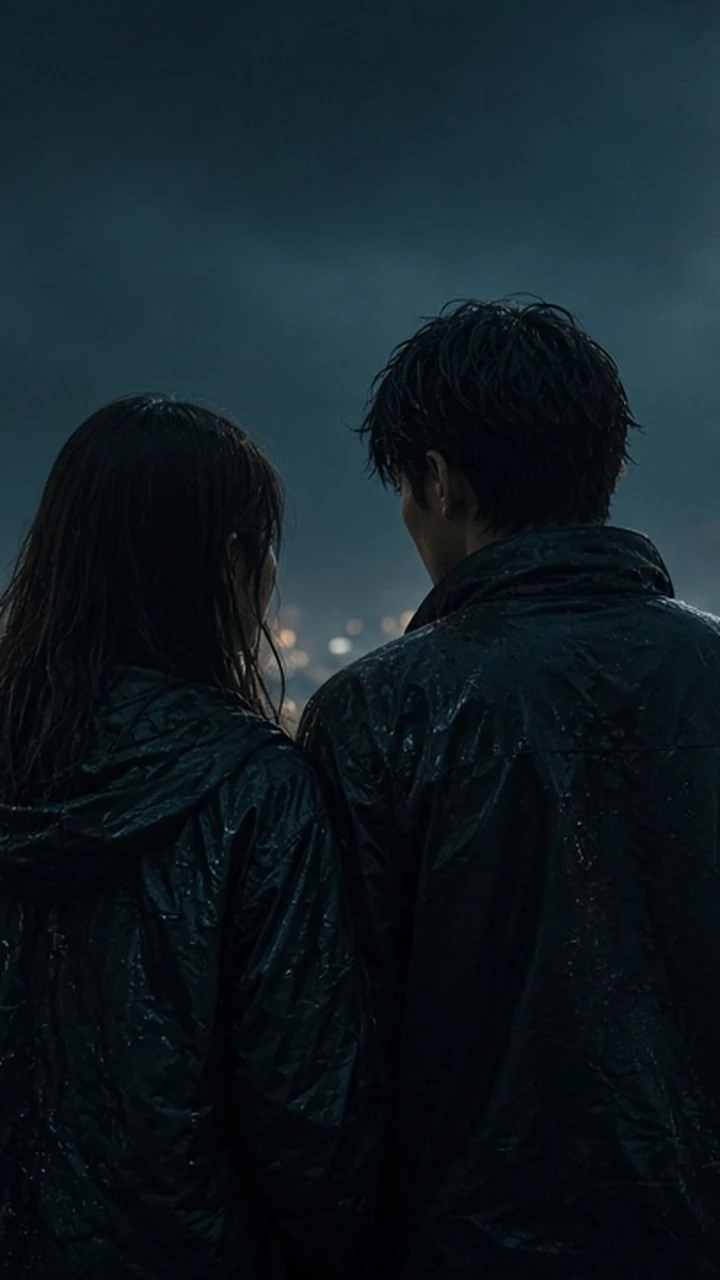
Zombie love story Marey
To make a zombie love story Marey edit, prepare four matching high-resolution stills, open Moonvalley’s Marey Image to Video endpoint on fal (moonvalley/marey/i2v), use each still as the first-frame image, choose 1080x1920 and 5s, write a detailed camera-first prompt of at least 50 words for each beat, then trim the takes into a silent twelve-second sequence.
What Marey offers and where this guide fits
Marey is Moonvalley’s foundational AI video model. Moonvalley describes Marey Realism v1.5 on fal and recommends detailed prompts and high-resolution inputs. The fal Image to Video endpoint starts a video from an image as its first frame. This guide is an independent DIY comparison; we are not affiliated with Moonvalley and have not tested Marey or a logged-in fal workflow.
Moonvalley says Marey was trained on licensed footage and calls it commercially safe. Those are Moonvalley’s claims, not our legal guarantee; review the applicable terms and the rights to your own images before using any output. Moonvalley’s product page also describes Camera Control, Motion Transfer, Trajectory Control, Keyframing and other features. Do not assume those product-page features are fields on the fal Image to Video endpoint.
Our target is a silent, roughly twelve-second 9:16 story: a ruined world, a gun that never fires, a hug and a warm-memory match cut. That is our edit plan, not a Marey preset. Our maker is a preview/demo: paid generation is disabled, checkout does not charge and live paid generation is not connected for mass production. It has no freeform prompt field, and its preview shows a cinematic sample still, not a finished generated MP4. HappyHorse 1.1 R2V via fal remains our intended future provider. Marey is a comparison DIY path only; its availability on fal does not make it our provider.
Prepare four matching first frames
Use images you have rights to and depict consenting adults. Build four high-resolution vertical stills around two fictional characters, consistent clothing and a red scarf. Show a ruined street, a survivor holding a lowered unused rifle, a cold embrace and a warm version of that embrace. Suggest a fictional zombie through pale makeup and posture, with no gore. Keep the rifle pointed down and away from people; our editorial rule is that the gun never fires.
For the last two images, match camera height, head positions, shoulders and visible hands. Lay one still over the other in an editor to check the overlap. Let the lighting and background change between cold present and warm memory while the pose anchors the cut. Leave space around the hands and faces so small movement remains legible in the vertical frame. A matching first frame helps plan continuity; it does not guarantee the generated movement will preserve it.
Give each image a distinct job. The first establishes distance and place; the second makes the choice readable through the survivor’s posture; the third brings the pair together; the fourth answers that pose with a memory. Avoid asking one take to perform all four actions. Plan the gesture visible at the end of the hug before composing the memory still.
Our four-beat shot plan mapped to Marey Image to Video
Each row is one 5s take using its own still. The trim windows are positions in our final edit, not endpoint settings.
| Beat | First-frame still | Dimensions | Duration | Prompt focus | Trim window |
|---|---|---|---|---|---|
| Ruined world | Two adults apart on a ruined street, red scarf visible | 1080x1920 | 5s | Slow pullback, drifting dust and recognition | 0–3s |
| Gun never fires | Survivor holds lowered, unused rifle toward the ground | 1080x1920 | 5s | Steady frame, relaxing shoulders and a small step | 3–6s |
| Hug | Pair close together, hands and scarf visible | 1080x1920 | 5s | Slow approach as arms settle | 6–9s |
| Warm memory | Same embrace and camera height in warm light | 1080x1920 | 5s | Gentle approach, held pose and breathing | 9–12s |
Set up each take on fal
Open moonvalley/marey/i2v on fal. Use Choose to select the corresponding still as the first-frame image, then enter the matching prompt. In Additional Settings and More, select dimensions 1080x1920 and duration 5s. The documented default dimensions are 1920x1080, so check the selection for every take. Choose Run, review the result in Preview or JSON and use Download for an MP4. Repeat with the other three stills.
The API names the required inputs prompt and image_url; the latter identifies the image used for the first frame. Duration offers 5s and 10s. Image to Video also lists 1152x1152, 1536x1152 and 1152x1536 alongside the two 1080 dimensions. The text-to-video endpoint does not list 1080x1920, so this vertical plan uses Image to Video. The endpoint also documents negative_prompt, seed and guidance_scale. Keep the workflow simple while you assess the four takes; changing a setting cannot guarantee continuity.
The pre-filled Negative Prompt includes <scene cut>, useful for seeking a continuous take. Put unwanted features in that field rather than in the main prompt. Keep the main description positive and specific: describe what the camera sees, what changes and how the light falls. Check each result before downloading and choose the clearest action, not merely the most dramatic movement.
Four original camera-first prompts
Pair each prompt with its matching first frame. The fal guidance recommends at least 50 words and a structure moving from camera movement and perspective through the subject, environment and lighting. These prompts are original starting points for our edit, not official presets. Adapt the details to the actual image so the motion has a clear place to begin.
Ruined world: “Slow dolly backward from an eye-level medium-wide view, keeping two adult figures facing each other across a broken street. One wears a weathered coat and a red scarf that lifts gently in the breeze. Dust travels through the open space between them while distant buildings frame the gap. Cool overcast light softens the edges of the scene; the camera movement remains measured and their recognition reads in a quiet shift of posture.”
Refusal: “Hold a steady eye-level medium shot of the survivor and the other adult standing several steps apart. The survivor carries a lowered, unused rifle pointed toward the ground, with relaxed hands and shoulders gradually easing. The other adult takes one careful step closer. A red scarf rests against a weathered coat, and fine dust moves along the ruined street behind them. Cool diffuse light reveals their expressions and the clear space between their bodies.”
Hug: “Move slowly forward at shoulder height in a medium view as the two adults settle into a gentle embrace. Their hands come to rest on each other’s shoulders, with a red scarf visible between their coats. Broken walls and softly drifting dust sit behind the pair, while the foreground remains clear enough to see their arms. Cool, even light shapes their faces and hands; the camera holds the shared pose as their movement becomes still.”
Warm memory: “Move slowly forward at the same shoulder height and medium scale as the previous embrace. The same two adults hold each other in a familiar pose, their hands resting on shoulders and the red scarf lying between them. A sunlit room forms the background, with a soft curtain moving gently in the middleground. Warm afternoon light falls across their faces and coats as a quiet breath lifts their shoulders; preserve the calm composition for the cut.”
The rifle is described positively as lowered and unused. If a take violates the safety rule or obscures the intended gesture, reject it and revise the image or motion description. Compare hands, faces, scarf and camera height on the actual frames you plan to cut. The prompt is a direction, not proof of a usable result.
Suggested additions to Negative Prompt
Keep unwanted elements out of the main prompt. In the Negative Prompt field, consider adding: muzzle flash, firing, raised rifle, gore, blood, extra fingers, fused hands, changing faces, scarf disappearing, abrupt camera movement. Review the pre-filled list before adding terms; it already includes <scene cut>. These additions are editorial suggestions, not a guarantee that the output will avoid them.
If hands merge during the embrace, try a first frame with both hands clearly separated and simplify the movement. If the scarf moves across a face, place it lower in the still. If the camera drifts away from the pair, ask for a gentler move and check a different take. Revise one issue at a time so you can see whether the next result improves the cut.
Trim four takes into a silent twelve-second story
Four 5s takes give you twenty seconds of source material before editing. Place them in order and start with approximately three seconds from each: 0–3 for the ruined world, 3–6 for the refusal, 6–9 for the hug and 9–12 for the warm memory. These are windows on the final timeline, not fixed portions of each source. Choose the most readable three seconds from each take and adjust the boundaries if the hug needs a longer hold.
Cut from the settled cold embrace to a warm frame with similar shoulder height and hand placement. A direct cut can make the shared shape carry the memory; inspect it frame by frame for a sudden jump in the scarf or faces. If the matching pose never appears, revise a still or take instead of hiding the mismatch with a fast transition. Check the whole sequence on a vertical canvas, including the edges during movement.
Our target is silent. Strip or mute audio in the editor if any file has a track; the documented endpoint does not specify an audio toggle. No lip-sync or voice reference is needed for the story. Watch once without looking at your notes: the emotional turn should be understandable from the images and the timing alone.
DIY Marey versus our maker
The two paths have different work and different current outcomes.
| Decision | DIY with Marey | Our maker today |
|---|---|---|
| Direction | Prepare four first frames, write detailed prompts and review every take. | Choose two creative-reference photos for the fixed four-beat story; there is no freeform prompt field. |
| Timing | Select four 5s vertical takes and trim them in an editor to about twelve silent seconds. | The intended story is about twelve seconds; preview shows a cinematic sample still, not a finished generated MP4. |
| Status | A separate Moonvalley Image to Video workflow hosted on fal. | Preview/demo: checkout does not charge and live paid generation is not connected for mass production. |
Limits and other paths
The documented choices are 5s and 10s, not a twelve-second option. Four starts give you editorial control, but matching stills cannot ensure identical faces, hands or gestures throughout the generated takes. Expect to inspect and possibly revise them. Keep the original stills and chosen excerpts together so you can replace one beat without rebuilding the entire edit.
If Marey is the wrong fit, compare Nova Reel, Leonardo, LTX, Higgsfield, Firefly, Grok Imagine, Midjourney, Hunyuan, HappyHorse, Seedance, Wan, Vidu, Hailuo, PixVerse, Veo, Sora, Kling, Runway, Luma and Pika in the guides below. Each has its own inputs and limits. Or open /create to inspect our fixed story preview; switching tools does not turn that demo into live paid production.
Final checks before sharing
- Use images you have rights to, depict consenting adults and identify the story as AI fiction.
- Check the prop and every cut: the gun never fires, and there is no gore.
- Inspect faces, hands and scarf, especially where the cold embrace meets the warm memory.
- Confirm the roughly twelve-second vertical edit reads silently; remove any audio track in the editor if needed.
- Walk the maker
- Zombie love story Nova Reel
- Zombie love story Leonardo
- Zombie love story LTX
- Zombie love story Higgsfield
- Zombie love story Firefly
- Zombie love story Grok Imagine
- Zombie love story Midjourney
- Zombie love story Hunyuan
- Zombie love story HappyHorse
- Zombie love story Seedance
- Zombie love story Wan
- Zombie love story Vidu
- Zombie love story Hailuo
- Zombie love story PixVerse
- Zombie love story Veo
- Zombie love story Sora
- Zombie love story Kling
- Zombie love story Runway
- Zombie love story Luma
- Zombie love story Pika
Zombie love story Marey FAQ
How do I make a zombie love story with Marey?
Prepare four matching high-resolution stills, use each as the first frame on fal’s Marey Image to Video endpoint with 1080x1920, 5s and a detailed prompt, then trim the takes into a silent twelve-second edit.
Can Marey Image to Video make a vertical take?
The documented Image to Video dimensions include 1080x1920. The text-to-video endpoint does not list that vertical option.
Is twelve seconds a Marey duration setting?
The documented Image to Video durations are 5s and 10s. Our twelve-second target comes from trimming four takes in an editor.
Where should unwanted details go?
Add unwanted details to the Negative Prompt field, not the main prompt. Review the pre-filled list and inspect the resulting take.
Does your maker use Marey?
No. Marey is a separate DIY comparison. HappyHorse 1.1 R2V via fal remains our intended future provider; the maker is currently a preview/demo with no freeform prompt field or finished generated MP4 preview.