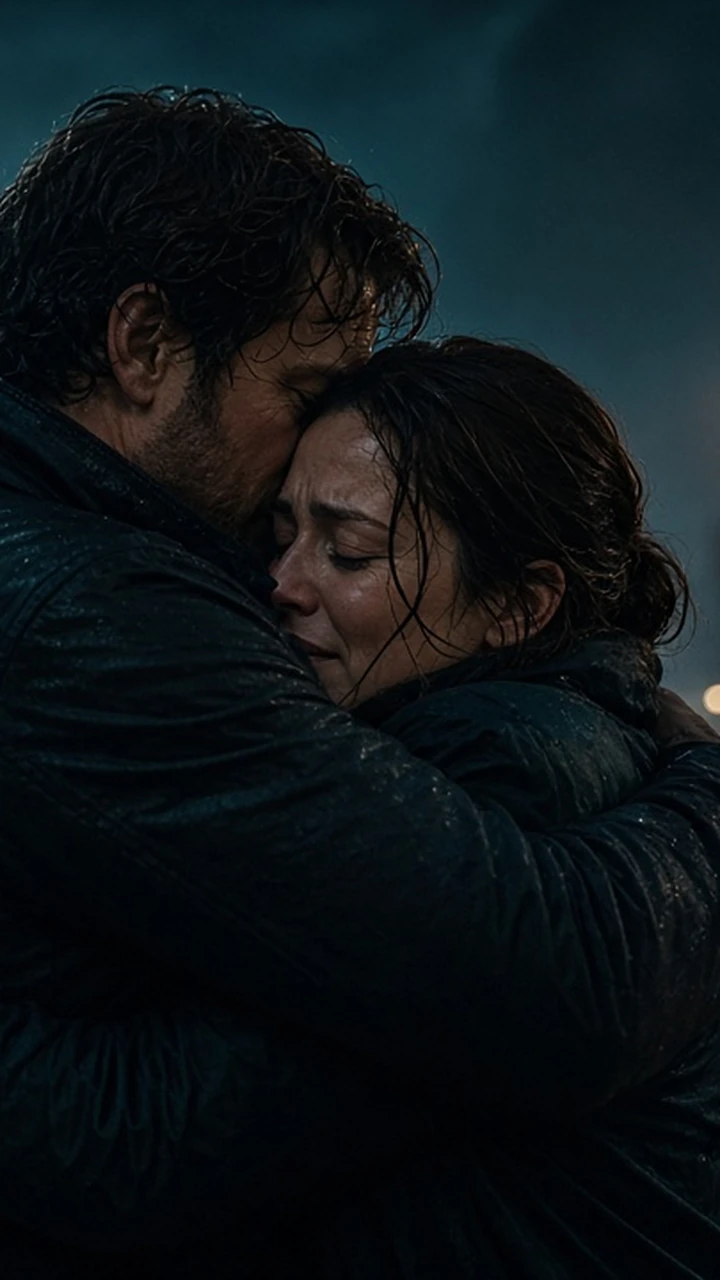
Zombie love story Vidu
To make a zombie love story with Vidu, prepare matching cold and warm couple stills, animate the recognition, refusal, and embrace with image-to-video, then animate the warm memory separately or try start/end frames before trimming the four beats together.
Choose a Vidu mode before writing the shot
This guide uses the official API documentation downloaded on 2026-11-12, linked in Sources. Image-to-video uses POST /ent/v2/img2video and one image as the start frame. For the viduq3-turbo route used here, duration accepts 1–16 seconds with a default of 5; resolution options are 540p, 720p, and 1080p. The prompt limit is 20000 characters. Set is_rec false when using our own prompts: the documented recommended-prompt option can replace your text.
Start/end generation uses POST /ent/v2/start-end2video. Supply two images in order: start first, end second. On viduq3-turbo, the documented duration range is 1–16 seconds and resolution options are 540p, 720p, and 1080p. The prompt limit is 20000 characters. This gives the model endpoints; it does not guarantee a clean memory transition.
Reference-to-video uses POST /ent/v2/reference2video. Its viduq3-turbo subject route lets you name subjects and refer to them as [@name] in a required prompt of up to 5000 characters. It allows up to 7 image or text subjects, with up to 3 images per temporary image subject. Duration is 3–16 seconds, default 5. The documented aspect_ratio options include 9:16. These are subject references, not a sequence of storyboard endpoints.
For silent shots, explicitly set audio false. The image-to-video and start/end parameter tables say this outputs silent video; the reference subject route also documents audio false. Use the corresponding Sources links below. The consumer product is at www.vidu.com; these API fields are not a promise about its interface. There is no partnership with Vidu.
Prepare a small continuity kit
Use photos of adults who consented to this fictional story. No celebrities, strangers, or minors. Cast A as the survivor and B as the infected beloved. Keep the infection to pale, tired skin: no wounds, blood, or gore. Our story includes a prop gun that never fires.
Compose a cold two-shot, a refusal still, a cold embrace, and a warm embrace. Our visual choice is a deserted railway platform with a broken station clock. A stays on the left in a dark coat; B stays on the right in a light scarf. Keep that scarf visible across the cut so the memory belongs to this couple.
For image-to-video and start/end inputs the docs list PNG, JPEG, JPG, and WebP, a 50MB image limit, and a decoded Base64 byte length below 10MB. Start/end additionally requires close image resolutions: the start/end resolution ratio must be between 0.8 and 1.25. We recommend identically sized stills for that pair. The image-to-video docs do not specify an output aspect-ratio field; inspect the returned framing before cropping in your editor.
Our four-beat shot plan mapped to Vidu modes
The twelve-second timeline and trim choices are our editorial plan, not a Vidu preset. All recommended five-second jobs fit the documented ranges. Each generated take still needs review.
| Final timeline | Vidu job we recommend | What earns the cut |
|---|---|---|
| 0–3 seconds: recognition | Image-to-video, viduq3-turbo, duration 5, resolution 720p, audio false, is_rec false. Start with the platform two-shot. | Keep the first shared glance and a small scarf movement. End before either actor starts walking. |
| 3–5 seconds: refusal | Image-to-video with the refusal still and the same settings. | Keep the hesitation and lowering motion. The gun never fires; reject any flash or recoil. |
| 5–9 seconds: embrace | Image-to-video with the cold embrace still, duration 5, 720p, audio false, is_rec false. Optional alternative: named subject reference job. | Start on the reach, finish on the settled shoulder line. Do not introduce warm lighting yet. |
| 9–12 seconds: warm memory | Image-to-video from the warm still, same settings. Optional start/end experiment: cold hug first, warm hug second, viduq3-turbo, duration 5, 720p, audio false. | Prefer a hard cut between matching holds. Use the endpoint experiment only if it preserves both faces. |
Copyable prompts for each beat
These are our original shot instructions. Prepare the composed stills first and paste the matching motion prompt into your Vidu job. Keep each request focused on one emotional action. Our maker has no prompt field.
Beat one — recognition: “Two consenting adults on an empty ruined railway platform at blue hour. Survivor A on the left in a dark coat; beloved B on the right in a light scarf, pale tired skin without wounds. Both recognize each other. The scarf moves gently while the camera holds at eye level. Preserve faces and positions. No extra people, no gore, no text.”
Beat two — refusal: “Continue the same cold platform scene and wardrobe. A hesitates with a prop gun, then lowers it toward the ground while looking at B. The gun never fires. No muzzle flash, recoil, injury, or attack. Hold both faces in frame. End on an open hand reaching toward the beloved.”
Beat three — embrace: “Same adults, same cold station platform. A reaches B and they settle into a quiet embrace. A remains left, B right. B keeps pale uninjured skin and the light scarf. Hands rest on upper backs. Small breathing movement, fixed camera, no orbit. Preserve their faces; no additional limbs, no violence, no skin transformation.”
Beat four — memory: “Same two adults in the matching embrace on this railway platform before its ruin, amber evening light, both healthy. Match the cold shot’s head tilt, scarf placement, shoulder height, and camera distance. Hold the embrace with gentle breathing. No weapon, no infection, no text, no new action.”
Optional start/end bridge prompt: “Keep the two adults and their embrace aligned between the supplied cold and warm endpoints. Preserve left-right order, facial identity, scarf placement, and head tilt. Move gently toward the warm memory without adding people or wounds.” If the bridge looks like melting faces, discard it and use the separate warm take.
When to use named subject references
If a newly composed embrace keeps losing the couple, try a separate reference-to-video take. In the viduq3-turbo subject route, create temporary image subjects named survivor and beloved, then use [@survivor] and [@beloved] in the prompt. Follow its own image requirements: at least 128 by 128 pixels, supported PNG/JPEG/JPG/WebP files, and a POST body no larger than 20MB. Do not reuse the image-to-video upload limits for this route.
Copyable reference prompt: “[@survivor] in a dark coat stands left of [@beloved] in a light scarf on a deserted railway platform. They recognize each other, then settle into a quiet embrace. The beloved has pale tired skin, no wounds. Keep faces readable and the camera still. No gunfire, gore, extra people, or text.” Use duration 5, resolution 720p, aspect_ratio 9:16, and audio false. This is an alternative hug take; inspect identity rather than treating references as a guarantee.
Trim for recognition before spectacle
Our default is four separate five-second takes. On the timeline, keep about three seconds of recognition, two of refusal, four of embrace, and three of memory. Those are editing targets, not generation parameters. Put a marker on the first frame where both shoulders stop moving in the cold hug. Find the corresponding shoulder shape in the warm take and cut there.
Check the cut at normal speed before adjusting color. If it feels like a location mistake, keep a little more of the warm hold so the healthy faces register. If refusal is unclear, borrow time from the opening rather than speeding up the hand. Avoid a dissolve across infected and healthy faces: our preferred hard cut makes the memory legible without asking a face to morph.
For a vertical edit, inspect every returned clip in the same editor canvas and crop only after checking both faces and hands. Reference-to-video documents 9:16, but we do not infer an image-to-video output ratio from that separate route. Save approved output locally: the query-creation tables say generated-result URLs are valid for 24 hours.
Vidu DIY versus our maker
There is no partnership with Vidu. Our maker is a separate preview flow.
| Decision | DIY Vidu workflow | Zombie Love Story maker |
|---|---|---|
| Inputs | Composed start stills, ordered endpoints, or named subject references depending on mode. | Two photos as creative reference, then one world. |
| Story | You write prompts, run separate jobs, inspect takes, and edit the sequence. | Four locked beats, no prompt field. |
| Memory | Hard-cut matching hugs or review an optional endpoint bridge. | The designed fourth beat is the warm-memory match cut. |
| Availability | Use your own Vidu workflow; this guide quotes no prices or credit counts. | Preview shows sample stills. Checkout is a demo and does not charge. Live paid generation is not connected for mass production. |
If Vidu is the wrong fit
The Grok Imagine, Wan, PixVerse, Hailuo, Veo, Midjourney, Kling, Runway, Luma, Pika, and Sora guides offer other ways to plan the same story. Compare the input mode you need before rewriting every prompt. Or walk our maker: two photos, one world, four locked beats, no prompt field. Preview shows sample stills. Checkout is a demo and does not charge. Live paid generation is not connected for mass production. Compare Firefly in the guide below. Compare Higgsfield in the guide below. Compare Marey, LTX, Leonardo and Nova Reel in the guides below.
Checks before sharing
- Watch silently: recognition, refusal, embrace, and memory must read without narration.
- Reject every take with gunfire, muzzle flash, recoil, gore, or injury. The gun never fires.
- Compare eyes, scarf, hands, and left-right order at each cut. Replace a bad take rather than hiding face drift in a transition.
- Check crop and shoulder alignment on the final memory cut. Watch the entire export once at normal speed.
- Use consenting adults only, no celebrities or minors, and label the shared clip as AI fiction. Keep a local copy of approved takes.
- Zombie love story Marey
- Zombie love story Nova Reel
- Zombie love story Leonardo
- Zombie love story LTX
- Zombie love story Higgsfield
- Zombie love story Firefly
- Zombie love story Grok Imagine
- Zombie love story Midjourney
- Zombie love story Seedance
- Zombie love story HappyHorse
- Zombie love story Hunyuan
- Zombie love story Wan
- Walk the maker
- Prepare the photos
- Zombie love story Kling
- Zombie love story Runway
- Zombie love story Luma
- Zombie love story Pika
- Zombie love story Sora
- Zombie love story Veo
- Zombie love story Hailuo
- Zombie love story PixVerse
Questions
How do I make a zombie love story with Vidu?
Prepare matching stills, animate each cold beat with image-to-video, then animate the warm memory separately and hard-cut matching embraces. Start/end frames are an optional transition experiment.
Are portraits, start frames, and endpoints interchangeable?
No. Image-to-video takes one composed start image. Start/end takes two ordered endpoint images. Reference-to-video uses subject references to guide the people in a new shot.
Must Vidu generate exactly twelve seconds?
No. Twelve seconds is our final edit. Our plan trims four five-second takes to about three, two, four, and three seconds. The documented viduq3-turbo ranges are 1–16 seconds for image-to-video and start/end, and 3–16 for subject reference-to-video.
How do I request silent Vidu shots?
Set audio false. The supplied image-to-video and start/end docs explicitly describe silent output; the reference subject route also documents audio false. Review without sound before adding any separately licensed soundtrack.
Does every mode document a 9:16 output setting?
No. The reference-to-video subject route lists aspect_ratio 9:16. The supplied image-to-video and start/end parameter tables do not list that field. Check returned framing and crop in your editor as needed.
Can I paste these prompts into your maker and buy a generated movie?
Our maker has no prompt field: two photos, one world, four locked beats. Preview shows sample stills. Checkout is a demo and does not charge. Live paid generation is not connected for mass production.
Is Zombie Love Story partnered with Vidu?
No. There is no partnership with Vidu. This is an independent shot-planning guide; use only consenting adults and exclude celebrities, minors, gunfire, and gore.